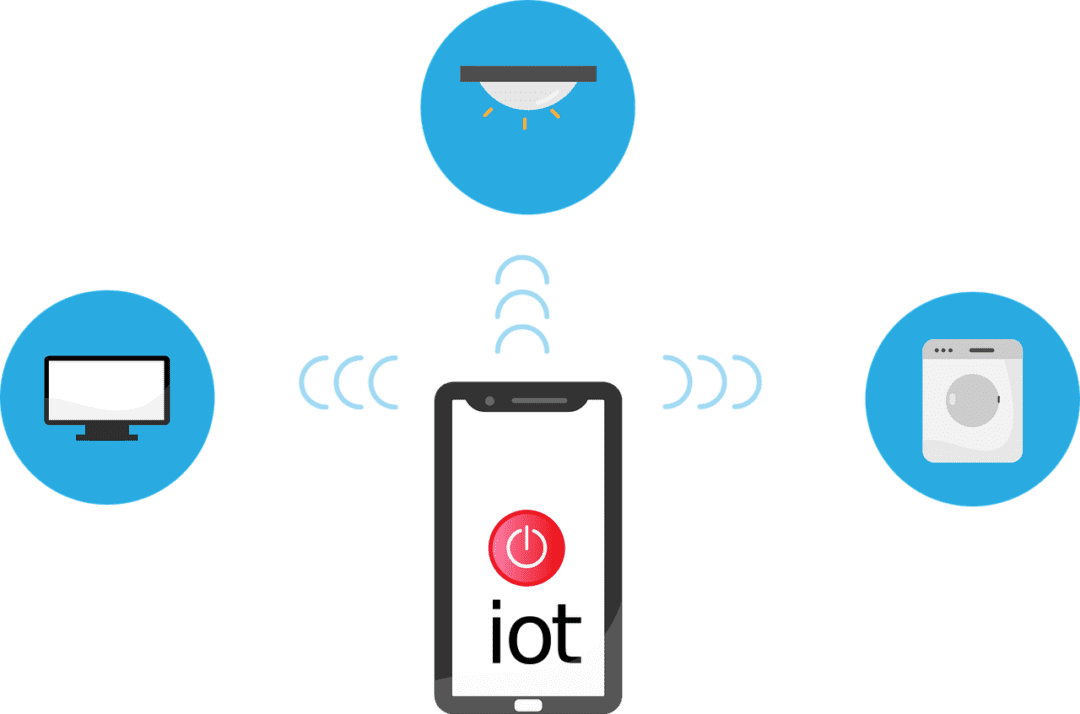
The Internet of Things (IoT) is no longer a futuristic concept. It’s rapidly transforming industries and reshaping how businesses operate. IoT is a blanket term to describe smart devices that are internet enabled. One example is smart sensors monitoring production lines. Connected thermostats optimizing energy consumption is another.

Experts project the number of connected devices worldwide to continue growing. It’s estimated to rise from about 15 billion in 2023 to 21 billion in 2026.

IoT devices are weaving themselves into the fabric of modern business operations. But successfully deploying them on your existing network isn’t always easy. It can feel like navigating a maze.

Have you been struggling with the integration of smart devices? This guide will equip you with the knowledge and steps you need.

Step 1: Define Your Goals and Needs

Before diving headfirst, it’s crucial to have a clear vision of your goals. Ask yourself and your team a few questions. These questions will help ensure you’re aligning smart devices with business needs.

What problem are you trying to solve with IoT?

Are you aiming to improve operational efficiency? Possibly, you want to gain real-time data insights. Or you may want to enhance remote monitoring capabilities.

It’s important to target your IoT device deployment. Defining the issue that it’s meant to solve helps you do that.

What type of data will you be collecting?

Take time to define the nature and volume of data generated by your chosen devices. This is essential for choosing the right network infrastructure.

What level of security do you need?

Security measures depend on the sensitivity of the data collected. You might need specific measures to protect it from unauthorized access.

Go through these questions as a first step. You’ll gain a clearer picture of your specific needs. This enables you to select the most appropriate IoT devices and network solutions.

Step 2: Select the Right Devices and Network Infrastructure

With your goals in mind, it’s time to choose your components. You’ll want to look at both the devices and the infrastructure of the network.

IoT Devices

When choosing smart devices, consider factors like:

  • Compatibility with your existing infrastructure
  • Data security features
  • Scalability
  • Power requirements

Research reputable vendors. Choose devices with strong security protocols in place. Look for good firmware protection.

Network Infrastructure

Your existing network might be lacking. It may not be equipped for the extra traffic and data generated by IoT devices. You may need to upgrade your bandwidth. As well as deploy separate networks for IoT devices. You may also need to invest in dedicated gateways. Ones that can manage communication between devices and the cloud.

Step 3: Focus on Security Throughout the Journey

Security is paramount in the realm of IoT. Compromised devices can become gateways for cyberattacks. Malware attacks on IoT devices increased 77% during the first half of 2022.

Here are some key security considerations.

Secure the Devices

Ensure the chosen devices have strong passwords. They should also be regularly updated with the latest firmware. You want to choose devices that offer features like encryption and secure boot.

Segment Your Network

Create separate networks for IoT devices and critical business systems. This minimizes the potential impact of a security breach on your core operations.

Install Network Access Control (NAC)

Install NAC solutions, such as multi-factor authentication. These controls restrict access to your network only to authorized devices. They also help you enforce security policies automatically.

Track and Maintain

Continuously track your network for suspicious activity. Regularly update your security protocols and software to stay ahead of evolving threats.

Step 4: Deployment and Ongoing Management

You should now have the necessary hardware and security measures in place. It’s time to deploy your IoT devices.

Here are some tips:

  • Follow the manufacturer’s instructions carefully during installation and configuration.
  • Test and confirm the functionality of your IoT devices. You should do this before fully integrating them into your network.
  • Develop a comprehensive management strategy for your IoT devices. It should include regular maintenance, firmware updates, and issue monitoring.

Step 5: Continuous Learning and Improvement

The world of IoT is constantly evolving, and so should your approach. Here are some tips for continuous improvement.

Analyze the Data

Once your IoT devices are operational, analyze the collected data. This helps you gain insights, identify areas for improvement, and refine your strategy.

Embrace Feedback

Encourage feedback from stakeholders within your organization. Use it to constantly refine your implementation and address emerging challenges.

Stay Informed

Keep yourself updated on the latest trends and advancements in the IoT landscape. This empowers you to adapt and leverage new technologies as they emerge.

Successfully deploying IoT on your business network requires careful planning. As well as prioritization of security and a commitment to continuous improvement.

Get Expert Help for Your Network Devices

Need help embracing a proactive approach to IoT adoption? We can help you transform your business operations. As well as unlock the full potential of smart devices at your business.

Contact us today to learn more.


Featured Image Credit

This Article has been Republished with Permission from The Technology Press.

In early 2024, Durham Johnston Comprehensive School in the North East of England suffered a devastating cyberattack that resulted in the leak of confidential documents. The attack, which targeted the school’s internal systems, resulted in a significant breach of sensitive data, including staff information, student records, and other personal details.

The breach caused alarm among parents and staff, with concerns over the potential misuse of the leaked information. In the days following the incident, school administrators worked around the clock to assess the damage and strengthen security measures to prevent future breaches. The school immediately notified affected individuals, in line with GDPR requirements, and reported the incident to the Information Commissioner’s Office (ICO).

This attack underscores the risks schools face from cybercriminals looking to exploit vulnerable IT systems. With the education sector increasingly relying on digital platforms, personal data has become a prime target for hackers. Educational institutions must prioritise the protection of sensitive information through robust encryption, continuous monitoring, and regular cybersecurity audits.

Durham Johnston’s incident serves as a wake-up call for schools across the country, emphasizing the need for comprehensive cybersecurity strategies to mitigate the risks of future breaches.

In the digital age, scams have become as ubiquitous as memes and cat videos. Despite this, many of us stroll through our online lives without a care, seemingly unfazed by the lurking dangers. It’s high time we ask ourselves: why are we so alarmingly chill about getting scammed? This could be happening to any of us, right under our noses.

The Illusion of Invincibility

One of the main reasons people are so nonchalant about scams is the illusion of invincibility. Many of us harbour the belief that we’re too smart or tech-savvy to fall for such tricks. This overconfidence can be our downfall. Scammers are becoming more sophisticated, employing advanced tactics to deceive even the most vigilant individuals. According to recent studies, many scam victims are well-educated and tech-savvy, dispelling the myth that only the naive and uninformed are targeted. It’s not just about losing money, and it’s about the potential damage to our identities, reputations, and peace of mind.

This illusion is partly fuelled by a lack of awareness about the diversity and complexity of modern scams. Gone are the days of obvious phishing emails and poorly written messages from “Nigerian princes.” Today’s scams can be meticulously crafted, personalised, and highly convincing. They might come in the form of legitimate-looking emails, texts, or phone calls, and they often exploit current events or trending topics to appear more credible. It’s a constant game of cat and mouse, and we need to stay one step ahead.

Normalisation of Scams

Another reason for our blasé attitude is the normalisation of scams. We’ve become so accustomed to hearing about data breaches, identity theft, and fraudulent schemes that they no longer shock us. This desensitisation leads to a dangerous level of complacency. When scams are perceived as a routine part of digital life, the urgency to protect oneself diminishes.

Media coverage, while crucial, sometimes contributes to this normalisation by portraying scams as inevitable rather than preventable. The narrative often focuses on the inevitability of falling victim rather than the steps individuals can take to protect themselves. This can lead to a fatalistic attitude where people believe that they will eventually be scammed no matter what they do. But remember, you have the power to protect yourself. Awareness and vigilance are key.

False Sense of Security

A third factor is the false sense of security provided by technology. Many people believe that their antivirus software, privacy settings, and secure passwords are enough to protect them from all threats. While these measures are important, they are not foolproof. Scammers are continually evolving, finding new ways to bypass these defences.

Moreover, the rapid pace of technological advancement means that new vulnerabilities are constantly being discovered. The security measures that were effective yesterday may not be sufficient tomorrow. This creates a perpetual game of cat and mouse between scammers and cybersecurity experts.

Psychological Factors

Beyond these practical reasons, there are psychological factors at play. Cognitive biases such as optimism bias (the belief that bad things happen to other people, not us) and the availability heuristic (relying on immediate examples that come to mind) can skew our perception of risk. When we don’t personally know someone who has been scammed, or if our experiences with scams have been minor, we downplay the threat.

Additionally, the digital world often feels less tangible and, therefore, less threatening. We don’t physically see the scammers or the damage they cause, making it easier to ignore the potential risks. This detachment can lead to a lack of urgency in adopting protective measures.

The Cost of Complacency

The cost of this complacency can be high. Financial losses from scams can be devastating, but the impact goes beyond money. Victims often experience significant emotional distress, a sense of violation, and a loss of trust in digital interactions. Recovering from a scam can also be a time-consuming and complex process involving legal battles, identity restoration, and financial recovery.

The stakes are even higher for businesses. A successful scam can lead to data breaches, financial losses, and reputational damage. In an era where consumer trust is paramount, businesses cannot afford to be lax about cybersecurity.

The Path Forward: Awareness and Vigilance

So, what’s the solution? It starts with awareness and vigilance. We need to wake up and recognise the threat. This means educating ourselves and others about the latest scams and how to avoid them. Here are some steps everyone can take to enhance their security posture:

  1. Stay Informed: Regularly update yourself on the latest scam tactics. Cybersecurity news outlets, blogs, and forums are valuable resources.
  2. Adopt a Sceptical Mindset: Question the legitimacy of unsolicited messages, emails, or calls, especially those requesting personal information or urgent action.
  3. Strengthen Your Defences: Create strong, unique passwords for each account, enable two-factor authentication, and keep your software up to date.
  4. Educate Others: Share your knowledge with friends, family, and colleagues. The more people are aware, the harder it is for scammers to succeed.
  5. Report Scams: If you encounter a scam, report it to relevant authorities and platforms. This helps track and prevent further incidents.

What does all this mean?

Our indifference towards scams is a mix of overconfidence, normalisation, and a false sense of security. To combat this, we must shift our mindset and take proactive measures to safeguard our personal information and financial assets. Scams are not an unavoidable consequence of digital life but a preventable threat.

By staying informed, vigilant, and proactive, we can significantly reduce the risk of falling victim to scams. Let’s not wait until it’s too late to take this seriously. Wake up and smell the phish—your online safety depends on it.

With cyber threats evolving at an alarming pace, staying ahead of the curve is crucial. It’s a must for safeguarding sensitive information. Data security threats are becoming more sophisticated and prevalent. The landscape must change to keep up. In 2024, we can expect exciting developments alongside persistent challenges.

Over 70% of business professionals say their data privacy efforts are worth it. And that their business receives “significant” or “very significant” benefits from those efforts.

Staying informed about these trends is crucial. This is true whether you’re an individual or a business safeguarding valuable data.

Here are some key areas to watch.

1. The Rise of the Machines: AI and Machine Learning in Security

Artificial intelligence (AI) and machine learning (ML) are no longer futuristic concepts. They are actively shaping the cybersecurity landscape. This year, we’ll likely see a further rise in their application:

  • Enhanced Threat Detection: AI and ML algorithms excel at analyzing massive datasets. This enables them to identify patterns and anomalies that might escape human notice. This translates to a quicker detection of and reaction to potential cyber threats.
  • Predictive Analytics: AI can predict potential vulnerabilities and suggest proactive measures. It does this by analyzing past cyberattacks and security incidents.
  • Automated Response: AI can go beyond detection and analysis. Professionals can program it to automatically isolate compromised systems. As well as block malicious activity and trigger incident response procedures. This saves valuable time and reduces the potential impact of attacks.

AI and ML offer significant benefits. But it’s important to remember they are tools, not magic solutions. Deploying them effectively requires skilled professionals. Experts who can interpret the data and make informed decisions.

2. Battling the Ever-Evolving Threat: Ransomware

Ransomware is malicious software that encrypts data and demands a ransom for decryption. It has been a persistent threat for years. Unfortunately, it’s not going anywhere in 2024. Hackers are constantly refining their tactics, targeting individuals and businesses alike. Here’s what to expect:

  • More Targeted Attacks: Hackers will likely focus on meticulously selecting high-value targets. Such as critical infrastructure or businesses with sensitive data. They do this to maximize their impact and potential payout.
  • Ransomware-as-a-Service (RaaS): This enables those with limited technical expertise to rent ransomware tools. This makes it easier for a wider range of actors to launch attacks.
  • Double Extortion: Besides encrypting data, attackers might steal it beforehand. They then may threaten to leak it publicly if the ransom isn’t paid, adding pressure on victims.

3. Shifting Strategies: Earlier Data Governance and Security Action

Traditionally, companies have deployed data security measures later in the data lifecycle. For example, after data has been stored or analyzed. But a new approach towards earlier action is gaining traction in 2024. This means:

  • Embedding Security Early On: Organizations are no longer waiting until the end. Instead, they will integrate data controls and measures at the start of the data journey. This could involve setting data classification levels. As well as putting in place access restrictions. They will also be defining data retention policies early in the process.
  • Cloud-Centric Security: More organizations are moving towards cloud storage and processing. As they do this, security solutions will be closely integrated with cloud platforms. This ensures consistent security throughout the entire data lifecycle.
  • Compliance Focus: Data privacy regulations like GDPR and CCPA are becoming increasingly stringent. As this happens, companies will need to focus on data governance to ensure compliance.

4. Building a Fortress: Zero Trust Security and Multi-Factor Authentication

We’re in a world where traditional perimeter defenses are constantly breached. This is why the “Zero Trust” approach is gaining prominence. This security model assumes that no user or device is inherently trustworthy. Users and programs need access verification for every interaction. Here’s how it works:

  • Continuous Verification: Every access request will be rigorously scrutinized. This is regardless of its origin (inside or outside the network). Systems base verification on factors like user identity, device, location, and requested resources.
  • Least Privilege Access: Companies grant users the lowest access level needed to perform their tasks. This minimizes the potential damage if hackers compromise their credentials
  • Multi-Factor Authentication (MFA): MFA adds an important extra layer of security. It requires users to provide extra factors beyond their password.

5. When Things Get Personal: Biometric Data Protection

Biometrics include facial recognition, fingerprints, and voice patterns. They are becoming an increasingly popular form of authentication. But this also raises concerns about the potential for misuse and privacy violations:

  • Secure Storage Is Key: Companies need to store and secure biometric data. This is ideally in encrypted form to prevent unauthorized access or breaches.
  • Strict Regulation: Expect governments to install stricter regulations. These will be around the collection, use, and retention of biometric data. Organizations will need to ensure they adhere to evolving standards. They should also focus on transparency and user consent.

How to Prepare for Evolving Data Security Trends

Feeling a bit overwhelmed? Don’t worry, here are some practical steps you and your organization can take:

  • Stay Informed
  • Invest in Training
  • Review Security Policies
  • Embrace Security Technologies
  • Test Your Systems

Schedule a Data Security Assessment Today!

The data security landscape of 2024 promises to be both intriguing and challenging. We can help you navigate this evolving terrain with confidence.

A data security assessment is a great place to start. Contact us today to schedule yours.


Featured Image Credit

This Article has been Republished with Permission from The Technology Press.

Have you been hearing more about email authentication lately? There is a reason for that. It’s the prevalence of phishing as a major security threat. Phishing continues as the main cause of data breaches and security incidents. This has been the case for many years.

A major shift in the email landscape is happening. The reason is to combat phishing scams. Email authentication is becoming a requirement for email service providers. It’s crucial to your online presence and communication to pay attention to this shift.

Google and Yahoo are two of the world’s largest email providers. They have implemented a new DMARC policy that took effect in February 2024. This policy essentially makes email authentication essential. It’s targeted at businesses sending emails through Gmail and Yahoo Mail.

But what’s DMARC, and why is it suddenly so important? Don’t worry, we’ve got you covered. Let’s dive into the world of email authentication. We’ll help you understand why it’s more critical than ever for your business.

The Email Spoofing Problem

Imagine receiving an email seemingly from your bank. It requests urgent action. You click a link, enter your details, and boom – your information is compromised.

The common name for this is email spoofing. It’s where scammers disguise their email addresses. They try to appear as legitimate individuals or organizations. Scammers spoof a business’s email address. Then they email customers and vendors pretending to be that business.

These deceptive tactics can have devastating consequences on companies. These include:

  • Financial losses
  • Reputational damage
  • Data breaches
  • Loss of future business

Unfortunately, email spoofing is a growing problem. It makes email authentication a critical defense measure.

What is Email Authentication?

Email authentication is a way of verifying that your email is legitimate. This includes verifying the server sending the email. It also includes reporting back unauthorized uses of a company domain.

Email authentication uses three key protocols, and each has a specific job:

  • SPF (Sender Policy Framework): Records the IP addresses authorized to send email for a domain.
  • DKIM (DomainKeys Identified Mail): Allows domain owners to digitally “sign” emails, verifying legitimacy.
  • DMARC (Domain-based Message Authentication, Reporting, and Conformance): Gives instructions to a receiving email server. Including, what to do with the results of an SPF and DKIM check. It also alerts domain owners that their domain is being spoofed.

SPF and DKIM are protective steps. DMARC provides information critical to security enforcement. It helps keep scammers from using your domain name in spoofing attempts.

Here’s how it works:

  1. You set up a DMARC record in your domain server settings. This record informs email receivers (like Google and Yahoo). It tells them the IP addresses authorized to send emails on your behalf.
  2. What happens next? Your sent email arrives at the receiver’s mail server. It is looking to see if the email is from an authorized sender.
  3. Based on your DMARC policy, the receiver can take action. This includes delivery, rejection, or quarantine.
  4. You get reporting back from the DMARC authentication. The reports let you know if your business email is being delivered. It also tells you if scammers are spoofing your domain.

Why Google & Yahoo’s New DMARC Policy Matters

Both Google and Yahoo have offered some level of spam filtering. But didn’t strictly enforce DMARC policies. The new DMARC policy raises the bar on email security.

  • Starting in February 2024, the new rule took place. Businesses sending over 5,000 emails daily must have DMARC implemented.
  • Both companies also have policies for those sending fewer emails. These relate to SPF and DKIM authentication.

Look for email authentication requirements to continue. You need to pay attention to ensure the smooth delivery of your business email.

The Benefits of Implementing DMARC:

Implementing DMARC isn’t just about complying with new policies. It offers a range of benefits for your business:

  • Protects your brand reputation: DMARC helps prevent email spoofing scams. These scams could damage your brand image and customer trust.
  • Improves email deliverability: Proper authentication ensures delivery. Your legitimate emails reach recipients’ inboxes instead of spam folders.
  • Provides valuable insights: DMARC reports offer detailed information. They give visibility into how different receivers are handling your emails. As well as help you identify potential issues. They also improve your email security posture.

Taking Action: How to Put DMARC in Place

Implementing DMARC is crucial now. This is especially true considering the rising email security concerns with email spoofing. Here’s how to get started:

  • Understand your DMARC options
  • Consult your IT team or IT security provider
  • Track and adjust regularly

Need Help with Email Authentication & DMARC Monitoring?

DMARC is just one piece of the email security puzzle. It’s important to put email authentication in place. This is one of many security measures required in the modern digital environment. Need help putting these protocols in place? Just let us know.

Contact us today to schedule a chat.


Featured Image Credit

This Article has been Republished with Permission from The Technology Press.

Have you ever seen a video of your favorite celebrity saying something outrageous? Then later, you find out it was completely fabricated? Or perhaps you’ve received an urgent email seemingly from your boss. But something felt off.

Welcome to the world of deepfakes. This is a rapidly evolving technology that uses artificial intelligence (AI). It does this to create synthetic media, often in the form of videos or audio recordings. They can appear real but are actually manipulated.

People can use deepfakes for creative purposes. Such as satire or entertainment. But their potential for misuse is concerning. Deepfakes have already made it into political campaigns. In 2024, a fake robocall mimicked the voice of a candidate. Scammers wanted to fool people into believing they said something they never said.

Bad actors can use deepfakes to spread misinformation. As well as damage reputations and even manipulate financial markets. They are also used in phishing attacks. Knowing how to identify different types of deepfakes is crucial in today’s world.

So, what are the different types of deepfakes, and how can you spot them?

Face-Swapping Deepfakes

This is the most common type. Here the face of one person is seamlessly superimposed onto another’s body in a video. These can be quite convincing, especially with high-quality footage and sophisticated AI algorithms.

Here’s how to spot them:

  • Look for inconsistencies: Pay close attention to lighting, skin tones, and facial expressions. Do they appear natural and consistent throughout the video? Look for subtle glitches. Such as hair not moving realistically. Or slight misalignments around the face and neck.
  • Check the source: Where did you encounter the video? Was it on a reputable news site or a random social media page? Be cautious of unverified sources and unknown channels.
  • Listen closely: Does the voice sound natural? Does it match the person’s typical speech patterns? Incongruences in voice tone, pitch, or accent can be giveaways.

Deepfake Audio

This type involves generating synthetic voice recordings. They mimic a specific person’s speech patterns and intonations. Scammers can use these to create fake audio messages. As well as make it seem like someone said something they didn’t.

Here’s how to spot them:

  • Focus on the audio quality: Deepfake audio can sound slightly robotic or unnatural. This is especially true when compared to genuine recordings of the same person. Pay attention to unusual pauses. As well as inconsistent pronunciation or a strange emphasis.
  • Compare the content: Does the content of the audio message align with what the person would say? Or within the context in which it’s presented? Consider if the content seems out of character or contradicts known facts.
  • Seek verification: Is there any independent evidence to support the claims made? If not, approach it with healthy skepticism.

Text-Based Deepfakes

This is an emerging type of deepfake. It uses AI to generate written content. Such as social media posts, articles, or emails. They mimic the writing style of a specific person or publication. These can be particularly dangerous. Scammers can use these to spread misinformation or impersonate someone online.

Here’s how to spot them:

  • Read critically: Pay attention to the writing style, vocabulary, and tone. Does it match the way the person or publication typically writes? Look for unusual phrasing, grammatical errors, or inconsistencies in tone.
  • Check factual accuracy: Verify the information presented in the text against reliable sources. Don’t rely solely on the content itself for confirmation.
  • Be wary of emotional triggers: Be cautious of content that evokes strong emotions. Such as fear, anger, or outrage. Scammers may be using these to manipulate your judgment.

Deepfake Videos with Object Manipulation

This type goes beyond faces and voices. It uses AI to manipulate objects within real video footage. Such as changing their appearance or behavior. Bad actors may be using this to fabricate events or alter visual evidence.

Here’s how to spot them:

  • Observe physics and movement: Pay attention to how objects move in the video. Does their motion appear natural and consistent with the laws of physics? Look for unnatural movement patterns. As well as sudden changes in object size, or inconsistencies in lighting and shadows.
  • Seek original footage: If possible, try to find the original source of the video footage. This can help you compare it to the manipulated version and identify alterations.

Staying vigilant and applying critical thinking are crucial in the age of deepfakes.

Familiarize yourself with the different types. Learn to recognize potential red flags. Verify information through reliable sources. These actions will help you become more informed and secure.

Get a Device Security Checkup

Criminals are using deepfakes for phishing. Just by clicking on one, you may have downloaded a virus. A device security checkup can give you peace of mind. We’ll take a look for any potential threats and remove them.

Contact us today to learn more.


Featured Image Credit

This Article has been Republished with Permission from The Technology Press.

Back when you were a kid, living in a “smart home” probably sounded futuristic. Something out of Back to the Future II or The Jetsons. Well, we don’t yet have flying cars, but we do have video telephones as well as smart refrigerators and voice-activated lights.

But even the most advanced technology can have analog problems. Hackers can get past weak passwords. Bad connections can turn advanced into basic pretty quickly.

Have you run into any issues with your smart home gadgets? Not to worry! We’ve got your back when it comes to troubleshooting several common smart home issues.

Here are some of the most frequent problems along with simple steps to get your smart haven back on track.

1. Connectivity Woes

Are your smart gadgets refusing to connect to Wi-Fi? The main claim to fame of smart devices is that you can access them wirelessly. An internet connection is also vital to integrate several devices into a smart home hub.

If your device is having connection issues, check the basics first. Restart your router and your devices. If that doesn’t work, ensure you’ve positioned your router centrally. This gives you optimal signal strength. Consider a mesh network for large houses. Or invest in a Wi-Fi extender for better coverage.

2. Device Unresponsiveness

Now that we have voice-activated devices, we expect them to always answer. It can be frustrating when a device won’t respond to its “wake word.” We might even raise our voice and ask again… only to be ignored.

Are you having trouble with your smart devices not responding to commands? A simple power cycle (turning them off and on) can often do the trick. Check for software updates on your devices. As well as the corresponding apps. Updating software can fix bugs and improve performance.

3. Battery Drain

Smart devices, especially those battery-powered, can drain quickly. Adjust settings to reduce power consumption. Disable features you don’t use. Such as notification lights or constant background updates. Consider replacing batteries with high-quality ones for optimal performance.

4. Incompatibility Issues

Not all smart devices are created equal. Just because it says “smart” on the box doesn’t mean it plays well with others. When a new device won’t interact with your network, it can mean money down the drain.

Before you buy, check to ensure your devices are compatible with each other. Build your devices around your smart home platform. Review the manufacturer’s specifications thoroughly to avoid compatibility headaches.

5. Security Concerns

Security is paramount in a smart home. There have been horror stories about hacked baby monitors. These stories can get real very fast. You need to pay attention to securing your devices. Rather than getting caught up in plugging them in as fast as possible.

Use strong and unique passwords for all your devices and accounts. Enable two-factor authentication wherever available. Keep your devices and apps updated with the latest security patches.

A few other smart device security tips include:

  • Change the default device name on your network. Choose something generic.
  • Put smart devices on a separate “guest” network. This keeps them separated from devices with more sensitive data.
  • Turn off unnecessary sharing features. These are often enabled by default.

6. App Troubles

Are you running into sporadic problems? Bugs that crop up intermittently?

Sometimes, the problem might lie with the app itself. Check if any app updates are available and install them. Try logging out and logging back in to refresh the connection. If issues persist, uninstall and reinstall the app.

7. Automation Gone Wrong

Smart home automations can be convenient, but sometimes they malfunction. Review your automation rules and ensure they’re set up correctly. Test them individually to identify any faulty triggers or actions.

8. Limited Range

Some smart devices have a limited range. Check the manufacturer’s guide so you know what to expect. Move your devices closer to the hub or router for better communication. Consider using repeaters or extenders if the distance is an issue.

9. Ghost Activity

Ever experienced your smart lights turning on or off randomly? This could be due to factors such as:

  • Accidental voice commands
  • Faulty sensors
  • Scheduled automations you forgot about
  • A hacked device

Review your automation settings and disable any you don’t need. Investigate if your devices are picking up unintended voice commands from other sources. Change passwords and watch out for breaches.

10. Feeling Overwhelmed

It’s easy to get overwhelmed when you’re dealing with several smart devices. Don’t hesitate to consult your device manuals and online resources. You can also get help from our IT experts for specific troubleshooting steps. These resources can offer more guidance tailored to your situation.

Need Help Securing Your Smart Home?

A smart home should simplify your life, not complicate it. These simple solutions can help you navigate common issues. It’s also important to get a smart home security assessment to keep your family protected.

Contact us today to schedule a security checkup for your smart home and gain peace of mind.


Featured Image Credit

This Article has been Republished with Permission from The Technology Press.

It can be challenging to keep up with the ever-evolving cyber threat landscape. Companies need to process large amounts of data. As well as respond to incidents quickly and effectively. Managing an organization’s security posture is complex.

That’s where Microsoft Security Copilot comes in. Microsoft Security Copilot is a generative AI-powered security solution. It provides tailored insights that empower your team to defend your network. It works with other Microsoft security products. It also integrates with natural language to generate tailored guidance and insights.

In this article, we will explain what Microsoft Security Copilot is. We’ll explore its benefits and whether it’s the right choice to enhance your digital defenses.

What Is Microsoft Security Copilot?

Microsoft Security Copilot is a cutting-edge cybersecurity tool. It leverages the power of AI and machine learning for threat detection and response. Copilot aims to enhance the efficiency and effectiveness of cybersecurity operations.

Microsoft Security Copilot helps security teams:

  • Respond to cyber threats
  • Process signals
  • Assess risk exposure at machine speed

It works with other Microsoft security products as well. A big benefit is that it integrates with natural language. This means you can ask questions plainly to generate tailored guidance and insights.

Security Copilot can help with end-to-end scenarios such as:

  • Incident response
  • Threat hunting
  • Intelligence gathering
  • Posture management
  • Executive summaries on security investigations

How Does Microsoft Security Copilot Work?

You can access Microsoft Security Copilot capabilities through a standalone experience. As well as embedded experiences available in other Microsoft security products.

Copilot integrates with several tools, including:

  • Microsoft Sentinel
  • Microsoft Defender XDR
  • Microsoft Intune
  • Microsoft Defender Threat Intelligence
  • Microsoft Entra
  • Microsoft Purview
  • Microsoft Defender External Attack Surface Management
  • Microsoft Defender for Cloud

You can use natural language prompts with Security Copilot. This makes it easy to ask for information or guidance on various security topics.

For example, you can ask:

  • What are the best practices for securing Azure workloads?
  • What is the impact of CVE-2024-23905 on my organization?
  • Generate a report on the latest attack campaign.
  • How do I remediate an incident involving TrickBot malware?
Security Copilot
Image source: Microsoft

Should You Use Microsoft Security Copilot?

The Pros:

  1. Advanced Threat Detection
    Microsoft Security Copilot employs advanced algorithms. These detect and analyze threats that may go unnoticed by traditional security measures. It has the ability to adapt to new threats in real time. This enhances the security posture for organizations.
  1. Operational Efficiency
    Copilot automates threat analysis. This allows security teams to focus on strategic decision-making. It also reduces the time and effort spent on manual data analysis. The tool streamlines workflows, enabling quicker responses to potential threats.
  1. Integration with Microsoft Products
    Microsoft Security Copilot seamlessly integrates with several Microsoft products. This creates a comprehensive cybersecurity ecosystem. The synergy between these tools enhances threat visibility as well as response capabilities.
  1. Continuous Learning
    The AI and machine learning components of Copilot continuously learn from new data. This improves their ability to identify and mitigate emerging threats over time. This adaptive learning approach ensures that the tool evolves. Which is important to do alongside the ever-changing threat landscape.
  1. Reduced False Positives
    Copilot’s advanced algorithms contribute to a more accurate threat detection process. This minimizes false positives that can overwhelm security teams. The result is a more focused and efficient response to genuine threats.

The Considerations:

  1. Integration Challenges
    Microsoft Security Copilot seamlessly integrates with Microsoft and other security products. But organizations using a diverse range of cybersecurity tools may face integration challenges. Consider the compatibility of Copilot with your existing cybersecurity infrastructure.
  1. Resource Requirements
    The deployment of advanced AI and machine learning technologies may demand extra resources. Companies should check if their existing infrastructure supports the requirements of the tool.
  1. Training and Familiarization
    Successfully leveraging the benefits of Copilot requires training. As well as familiarization with the tool’s functionalities. Ensure that your security team is adequately trained. This will maximize the potential of this cybersecurity solution.

The Bottom Line

Microsoft Security Copilot represents a leap forward in the realm of AI-driven cybersecurity. It has an advanced capacity for real-time threat detection and operational efficiency. As well as extensive integration capabilities. These factors make it a compelling choice. Especially for businesses seeking to fortify their
digital defenses.

Your unique business needs should guide the decision to adopt Microsoft Security Copilot. Consider factors such as existing cybersecurity infrastructure and resource availability. As well as the commitment to ongoing training.

Get Expert Microsoft Product Support Here!

Microsoft is a vast ecosystem of interconnected business tools. Security Copilot is one of the newest to help you secure your online landscape. If you need some help leveraging these tools for your company, let us know. We are experienced Microsoft service providers. Our team can help you make the most of these tools.

Contact us today to schedule a consultation.


Featured Image Credit

This Article has been Republished with Permission from The Technology Press.

Cloud computing has revolutionized the way businesses operate. It offers scalability, flexibility, and cost-efficiency. But cloud services also come with a downside: cloud waste.

Cloud waste is the unnecessary spending of resources and money on cloud services. These services are often not fully utilized or optimized. About 32% of cloud spending is wasted. This can lead to budget concerns as spending
skyrockets.

But that figure also holds opportunity. It means that you can reduce nearly a third of cloud spending by optimizing how you use cloud tools.

So, how can you reduce cloud waste at your business and save money? Here are some smart tactics to consider.

Conduct a Comprehensive Cloud Audit

Before implementing any cost-cutting strategies, conduct an audit. It’s essential to have a clear understanding of your current cloud usage. Conducting a comprehensive cloud audit allows you to identify:

  • Underutilized resources
  • Overprovisioned instances
  • Unnecessary services

Use cloud management tools to generate reports. Look at usage patterns, costs, and performance metrics. This initial assessment forms the foundation for implementing effective waste reduction tactics.

Put in Place Right-Sizing Strategies

Right-sizing involves matching your cloud resources to the actual demands of your workloads. Many businesses fall into the trap of overprovisioning. This means securing more user licenses or features than they need. This leads to increased costs and unnecessary waste.

Analyze your workload requirements and resize instances accordingly. Use tools provided by your cloud service provider. These tools can identify and adjust the capacity of instances. This ensures that you only pay for the resources you truly need.

Use Reserved Instances and Savings Plans

Cloud providers offer cost-saving options like Reserved Instances (RIs) and Savings Plans. These allow businesses to commit to a specific amount of usage. This is in exchange for discounted rates. By leveraging these options, you can significantly reduce your cloud costs over time.

Carefully analyze your workload and usage patterns. Then, determine the most cost-effective reserved capacity or savings plan. Find a plan that aligns with your business’s long-term goals.

Install Automated Scaling Policies

Dynamic workloads have a need for dynamic resource allocation. Install automated scaling policies. These ensure that your infrastructure scales up or down based on demand. This optimizes performance. It also prevents overprovisioning during periods of low activity.

Cloud services enable you to set predefined policies for scaling. Examples are AWS Auto Scaling and Autoscale in Azure. These features help ensure efficient resource utilization without manual intervention.

Track and Optimize Storage

Storage costs can accumulate quickly. This is especially true when data is not regularly reviewed and archived. Estimate your storage needs. Then, put in place lifecycle policies to automatically downsize lesser-used data such as transitioning less frequently accessed data to lower-cost storage options.

Regularly review and delete unnecessary data to free up storage space. Adopt a proactive approach to storage management. This can help you significantly reduce costs associated with data storage.

Schedule Your Cloud Resources

Schedule your cloud resources to run only when you need them. For example, turn off development, testing, or staging environments during nights and weekends. Or scale down your production environment during off-peak hours.

Use available tools to automate the scheduling of your cloud resources. Base this on automated rules and policies that you define.

Delete Unused or Orphaned Cloud Resources

Sometimes, you may forget or neglect to delete cloud resources. Resources that you no longer need or use. This can include:

  • Snapshots
  • Backups
  • Volumes
  • Load balancers
  • IP addresses
  • Unused accounts

These resources can accumulate over time and incur unnecessary costs. To avoid this, you should regularly audit your cloud environment. Delete any unused or orphaned resources your business is not using. You can often use cloud provider tools to find and remove these.

Weed Out Duplicate Services

Different departments in the same organization may be using duplicate services. Marketing may use one task management app, while Sales uses a different one. Centralize cloud resources and remove duplicate tools.

Having everyone use the same cloud tool for the same function can save money as well as enhance collaboration, reporting, and data integration.

Embrace Serverless Architecture

Serverless computing allows businesses to run applications without managing the underlying infrastructure. You pay only for the actual compute resources used for your processes. This eliminates the need for provisioning and maintaining servers. Which reduces both operational complexity and costs. Consider migrating suitable workloads to a serverless model. This can help you optimize resource use and cut cloud waste.

Schedule a Cloud Optimization Assessment Today!

By following these smart tactics, you can reduce cloud waste at your business as well as optimize your cloud spending. This helps you save money. You can also improve operational efficiency and environmental sustainability.

Are you struggling with expanding cloud costs? Need help identifying and removing cloud waste? Our team of cloud experts can help you.

Contact us today to schedule your assessment.


Featured Image Credit

This Article has been Republished with Permission from The Technology Press.

We are living in an era dominated by digital connectivity. You can’t overstate the importance of cybersecurity. As technology advances, so do the threats that lurk in the online world.

Often, it’s our own actions that leave us most at risk of a cyberattack or online scam. Risky behaviors include weak passwords and lax security policies. As well as thinking “This won’t happen to me.” This is why human error is the cause of approximately 88% of data breaches.

The National Cybersecurity Alliance and CybSafe are working to correct poor cyber hygiene. Each year, the duo publishes a report on cybersecurity attitudes and behaviors. The goal is to educate both people and businesses. To educate them on how to better secure their digital landscapes.

This year’s study surveyed over 6,000 people across the U.S., Canada, the U.K., Germany, France, and New Zealand. The survey asked about several things. These include knowledge of cybersecurity risks, security best practices, and challenges faced.

The report reveals some eye-opening insights. These include how people perceive and respond to cyber threats. As well as what they can do to improve their cybersecurity posture. Here are some of the key findings from the report.

We Are Online… a Lot

It’s no surprise that 93% of the study participants are online daily. The logins we create continue to expand, as well as those considered “sensitive.” Sensitive accounts hold personal information that could be harmful if stolen.

Nearly half (47%) of the study’s respondents have ten or more sensitive online accounts. This amplifies risk. Especially if people are using the same password for two or more of those accounts.

Online Security Makes People Frustrated

Most people (84%) feel that online security is a priority. But as many as 39% feel frustrated, and nearly the same amount intimidated. It can seem that you just can’t get ahead of the hackers. Just over half of people thought digital security was under their control. That leaves a whole lot that don’t think so.

But that is no reason to let down your defenses and become an easy target. There are best practices you can put in place to safeguard your online accounts that work.

These include:

  • Enabling multi-factor authentication on your accounts
  • Using an email spam filter to catch phishing emails
  • Adding a DNS filter to block malicious websites
  • Using strong password best practices

People Need More Access to Cybersecurity Training

One way to reduce human errors associated with cybersecurity is to train people. The survey found that just 26% of respondents had access to cybersecurity training.

It also broke this down by employment status. We see that those not actively employed are most lacking. Even those employed can use more training access and encouragement. Just 53% report having access to cybersecurity awareness training and using it.

Employers can significantly reduce their risk of falling victim to a data breach. They can do this by beefing up their security awareness training. There is also a large opportunity to provide more training. Particularly to those retired or not actively employed.

Cybercrime Reporting Is Increasing

Over a quarter (27%) of survey participants said they had been a victim of cybercrime.

The types of cybercrimes reported include:

  • Phishing (47%)
  • Online dating scams (27%)
  • Identity theft (26%)

Which generation reported the most cybercrime incidents? Millennials. In fact, Baby Boomers and the Silent Generation reported the fewest.

Cybercrime incidents by generations
Source: The Annual Cybersecurity Attitudes and Behaviors Report 2023

No matter where you fall in the generations, it’s important to adopt security best
practices. We’ll go through some of these next.

Online Security Best Practices to Reduce Your Risk

  1. Strong, Unique Passwords:
    • Start with the basics. Create strong, unique passwords for each online account.
    • Use a combination of uppercase and lowercase letters, numbers, and special characters.
  2. Multi-Factor Authentication (MFA):
    • Enhance your account security with multi-factor authentication.
    • MFA adds an extra barrier to unauthorized access. Even for
      compromised passwords.
  3. Regular Software Updates:
    • Keep all your software, including operating systems and mobile
      apps, up to date.
  4. Beware of Phishing Attacks:
    • Exercise caution when clicking on links or opening attachments
      especially in emails from unknown sources.
    • Verify the legitimacy of emails and websites. Check for subtle
      signs, such as misspelled URLs or unfamiliar sender addresses.
  5. Use Secure Wi-Fi Networks:
    • Ensure you connect to a secure and password-protected Wi-Fi
      network.
    • Avoid using public Wi-Fi for sensitive transactions. Unless using a virtual private network (VPN).
  6. Data Backup:
    • Regularly back up important data to an external device or a secure
      cloud service.
  7. Use Antivirus and Anti-Malware Software:
    • Install reputable antivirus and anti-malware software on all devices.
    • Regularly scan your systems for potential threats.
  8. Be Mindful of Social Media Settings:
    • Review and adjust your privacy settings on social media platforms.
    • Limit the amount of personal information visible to the public.
  9. Secure Your Personal Devices:
    • Lock your devices with strong passwords or biometric
      authentication.
  10. Educate and Stay Informed:
    • Educate yourself and your team through cybersecurity awareness
      programs. This fosters a culture of vigilance and preparedness.

Schedule Cybersecurity Awareness Training Today

A little education on cybersecurity goes a long way toward protecting your data. Our experts can provide security training at the level you need. We’ll help you fortify your defenses against phishing, scams, and cyberattacks.

Contact us today to schedule a chat.


Featured Image Credit

This Article has been Republished with Permission from The Technology Press.